Apple Trader Informations (DSA)
1. Register in the App Store Connect
2. Open business account data
Go to "Business" and click on the name of your account.
You will then be taken to the following overview. Click on the area marked in red.
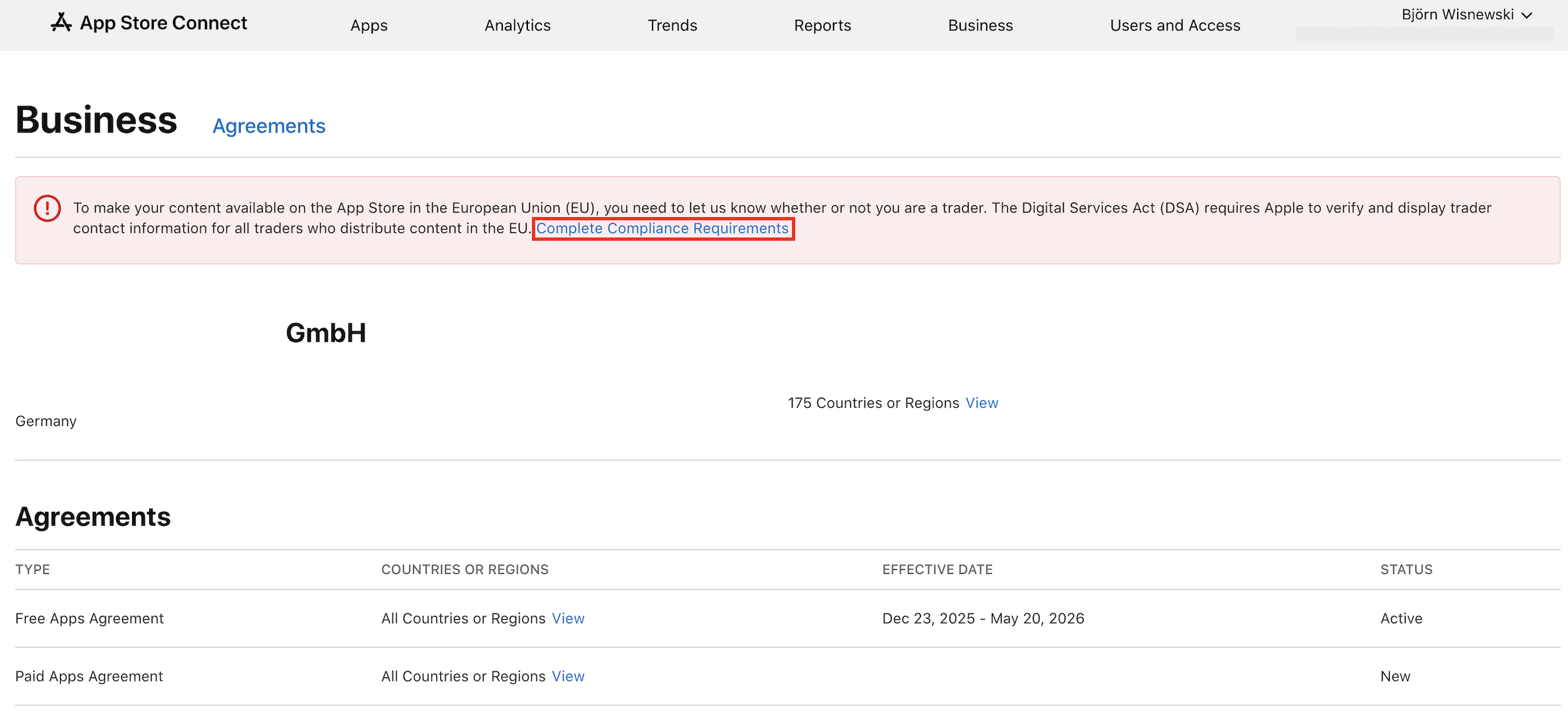
3. Digital Services Act Compliance
Please select the variant marked in the screenshot.
The data entered will be displayed publicly in the App Store!
Please fill in all missing information: address, phone number, and email address. This information will be verified based on your business registration.
5. Verify email address and phone number
Then verify both the email address and the phone number using a code that will be sent to the provided contact information.
6. Identification document
Upload a document that confirms the information you entered earlier. In most cases, a business registration document is required for this.
a) Select the language of the document.
b) Upload the business registration twice (1. Confirmation of name, 2. Confirmation of address)
Related Articles
Apple License Agreement
1. Sign in to your Apple Developer account. https://developer.apple.com/account/ 2. Confirm the Apple License Agreement. On the homepage (Account), you will see a message that the Apple License Agreement has been updated and needs to be accepted -> ...
Unlock Apple Developer Program
If the Apple Developer Program has not yet been activated, we are unfortunately not able to publish the app at Apple. If this is the case, we will gladly guide you step by step through the system to unlock the program. 1. Log in Login ...
Generate Apple API key
1. Sign in to the App Store Connect Log in at appstoreconnect.apple.com. 2. Create a key Go to "Users & Access" and to the "Integrations" tab. Click on "App Store Connect API" and then on "Generate API Key". Create a new key with the name "Codemagic ...
Create a developer account at Apple for sole proprietorship
Please note that the name of the account holder must match the name on the business registration. Since we need to submit the business registration as proof when publishing, there must be a match here. Apple will not allow the app to be published ...
Create a developer account at Apple for companies (e.g. GmbH, Co. KG, GbR etc.)
To create an iOS app, an Apple Developer Account is required - this must be created at https://appleid.apple.com. Here you have to enter your own phone number. Due to the two-factor authentication (2FA), you will be called by the app department ...