Apply for and manage SIDES Capital financing
What With SIDES Capital, you can apply for financing for your business directly in the SIDES Admin. Application, offer and repayment are handled through the payment partner Stripe. Where Admin: SIDES Pay > Financing. |
SIDES Capital at a glance
SIDES Capital is a financing offer for merchants who use SIDES Pay. If you are eligible, you will receive a personalized offer. Repayment is automatic via a fixed percentage of your future revenues. There is no fixed monthly amount and no personal credit check.
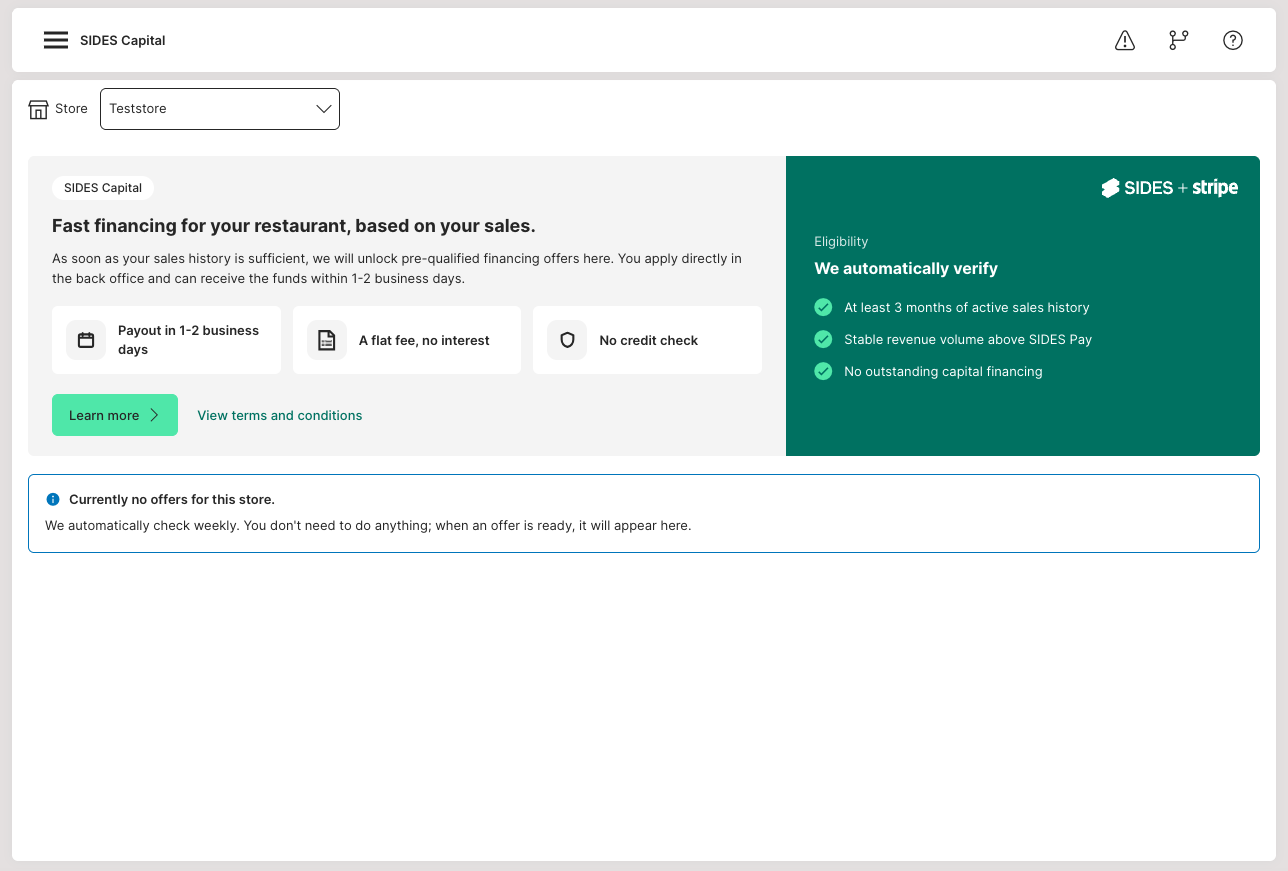
Requirements
- You use SIDES Pay for payment processing.
- Your store is fully set up with Stripe and onboarding is complete.
- Stripe classifies your store as eligible to participate. This depends, among other things, on your transaction history with SIDES Pay.
Opening SIDES Capital
You will find financing in the menu under "Financing" under Admin: SIDES Pay > Financing.
- Log in to your SIDES Admin.
- Open "SIDES Pay > Financing" in the menu.
- If you manage multiple stores, select the desired store at the top first. Only then will the offer and status be displayed.
Viewing and applying for an offer
- If an offer is available, you will see the key terms: the maximum financing amount, the one-time fee and the validity of the offer.
- Click "Apply for financing". A Stripe window will open.
- Select the desired amount and complete the application in the Stripe window. Acceptance of the terms occurs directly in this step.
- After submission, the page changes to the status view.
Status tracking
After submitting your application, a timeline shows where your application stands:
- Application submitted
- Application in review
- Application approved
- Payout: Funds available soon
The timeline only shows the status actually reached. A step is only marked as complete once it has actually been completed.
Managing active financing
Once the financing has been paid out, the following is displayed in the SIDES Admin:
- Remaining balance: The outstanding amount of your financing.
- Progress: The current status of repayment.
- Next repayment: The expected next repayment.
- Repayments: An overview of previous repayments with amounts collected, payouts and any cancellations.
Repayment is automatic via a fixed percentage of your revenues. On low-revenue days, it will be correspondingly lower.
Completed financing
You can find fully repaid financing in the history overview under "Completed financings", including the total amounts.
You can still download the financing contract there.
View "Currently not eligible"
If "Currently not eligible" is displayed, this message can have two reasons:
- No SIDES Pay yet: Set up SIDES Pay to be able to participate. The "Set up SIDES Pay" button will take you directly to setup.
- Transaction history is not sufficient yet: This is not a final no. Eligibility is reviewed regularly, and you will be notified as soon as you are eligible.
Frequently asked questions
- Does the application affect my personal credit rating?
No. There is no personal credit check. Stripe evaluates eligibility based on business data. - Do I have to repay a fixed monthly amount?
No. Repayment is automatic via a fixed percentage of revenues. - In what language does the application proceed?
The Stripe application window appears in the language set in the SIDES Admin. - Why is no offer initially displayed with multiple stores?
With multiple stores, no store is intentionally pre-selected. Select the desired store at the top, then the offer and status will be loaded. - Why is a new Stripe offer not displayed?
Check that the correct store is selected. Offers are always assigned to a specific store and its Stripe account.
Important Information
- SIDES Capital is provided through payment partner Stripe. The terms of Stripe apply to the offer, review and contract.
- Sensitive payment and contract data is processed exclusively securely via Stripe.
If you have any questions, your SIDES contact person or our support team will be happy to help.